GitHub Enterprise Integration
Use this guide when your organization runs GitHub Enterprise Server, such as https://github.yourcompany.com. If you do not have a GitMe account yet, start from GitMe Signup. If you already have an account, continue from GitMe Signin.
You can connect more than one Git integration in GitMe. Your workspace can include multiple providers at the same time, including cloud and self-hosted integrations.
For GitHub specifically, you can connect multiple GitHub organizations and, if needed, multiple GitHub Enterprise instances by repeating this flow for each authorized organization or instance.
Step 1 - Create an OAuth App on GitHub Enterprise
Required: Administrator access to your GitHub Enterprise Server instance.
-
Log in to your GitHub Enterprise Server instance.
-
Go to Account Settings > Developer settings > OAuth Apps.
-
Click New OAuth App.
-
Fill in the form:
-
Application name:
GitMe Performance Tracking -
Homepage URL:
https://www.gitdotme.com -
Authorization callback URL:
https://backend.gitdotme.com/self-hosted-integrations/github-enterprise/callback
-
-
Save the OAuth App.
-
Copy the Client ID and create or copy the Client Secret. You will need them in GitMe.
GitMe requests the following OAuth scopes during authorization:
reporead:useruser:email
The callback URL must match exactly. If GitHub Enterprise rejects the authorization request, check that the OAuth App callback URL is exactly:
https://backend.gitdotme.com/self-hosted-integrations/github-enterprise/callback
Step 2 - Open the Self Hosted Integration Card
- Open GitMe.
- Go to Settings > Integrations.
- Select the Self Hosted tab.
- Find GitHub Enterprise.
- Use View Setup Guide if you need to return to this page.
- Click Connect.
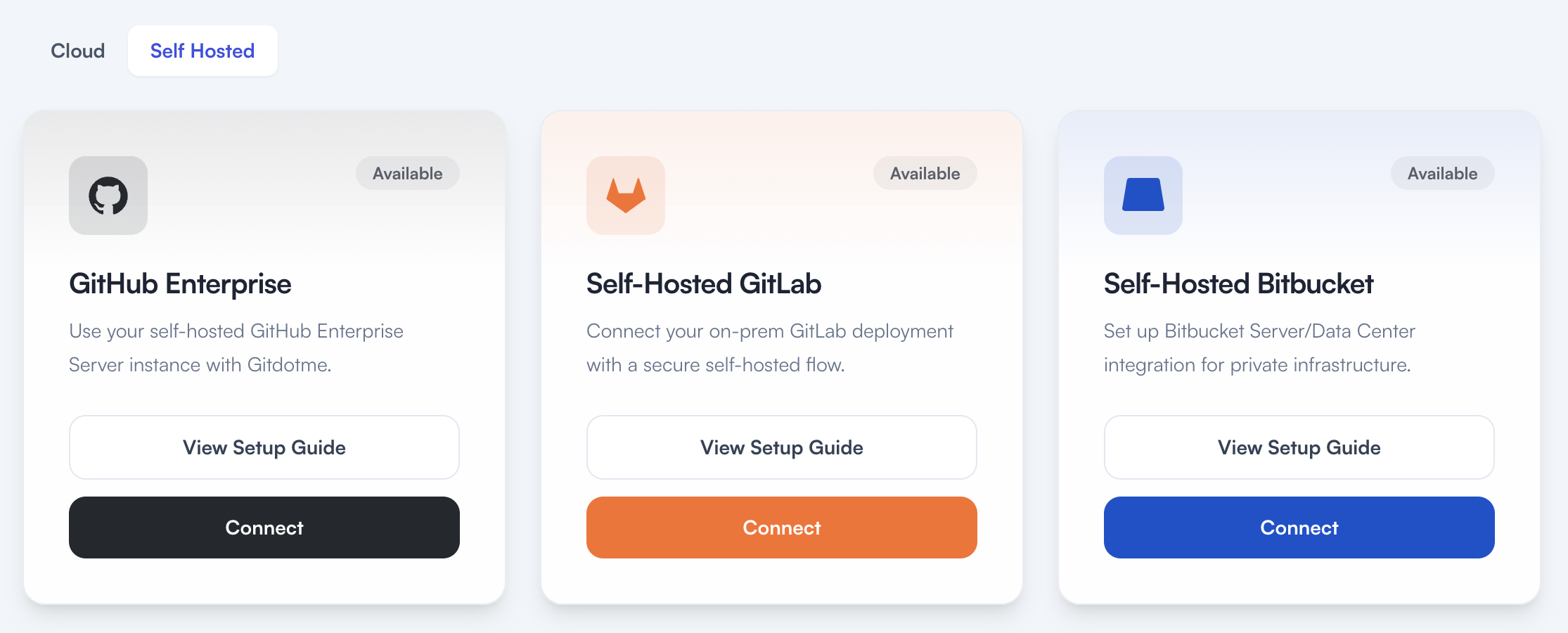
GitMe will ask you to confirm that you already created the OAuth App on your Git server. Check the confirmation box, then continue.
If another authorized admin needs to complete setup, send the invite from Settings > Invite User and assign the Account Admin role first.
Step 3 - Enter Your GitHub Enterprise OAuth Credentials
On the GitMe connection screen, enter:
- Instance URL: Your GitHub Enterprise Server base URL, for example
https://github.yourcompany.com - Client ID: The Client ID from your OAuth App
- Client Secret: The Client Secret from your OAuth App
Click Connect.
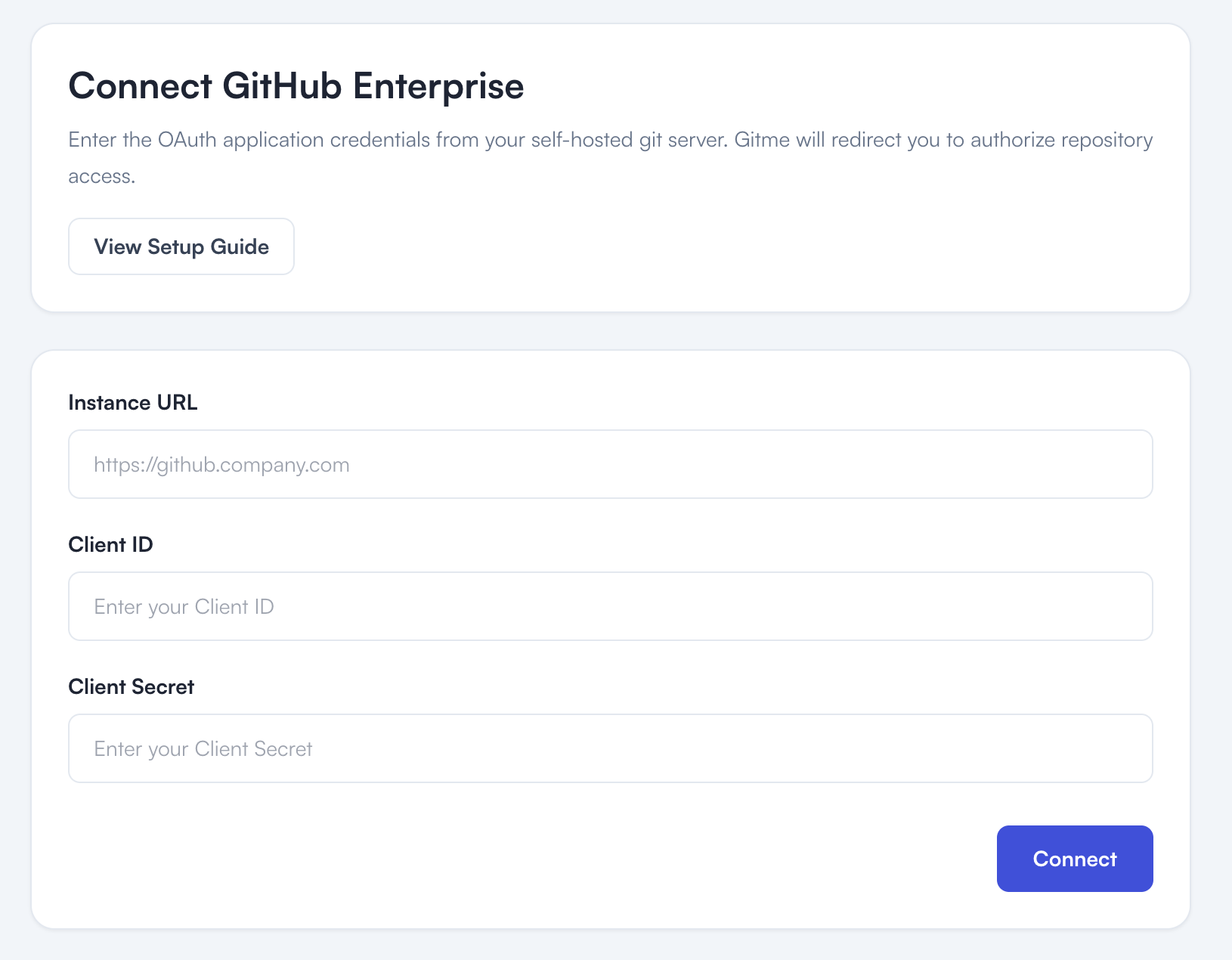
GitMe stores the OAuth client secret and OAuth token securely.
Step 4 - Authorize GitMe in GitHub Enterprise
After clicking Connect, GitMe redirects you to your GitHub Enterprise authorization page.
- Review the requested scopes.
- Click Authorize.
Step 5 - Finish Configuration in GitMe
After successful authorization, GitHub Enterprise redirects you back to GitMe. GitMe creates the GitHub Enterprise connection and sends you to:
/settings/plan-configuration?integration=connected
You can also open the page directly from Settings > Plan Configuration.
Choose or confirm your plan configuration. GitMe will use the authorized OAuth access to discover repositories that the connected GitHub Enterprise user can read.
After plan selection, complete billing setup from Settings > Billing & Payment.
Network Access Requirements
To successfully integrate GitHub Enterprise Server with GitMe, the following network requirements must be met:
- Your GitHub Enterprise Server instance must be reachable by GitMe cloud services over HTTPS.
- For example:
https://github.yourcompany.com
- For example:
- GitMe cloud services must be able to access your GitHub Enterprise OAuth and API endpoints over the internet.
- OAuth token endpoint:
https://github.yourcompany.com/login/oauth/access_token - API endpoint example:
https://github.yourcompany.com/api/v3/
- OAuth token endpoint:
- Your GitHub Enterprise OAuth application must use the following callback URL:
https://backend.gitdotme.com/self-hosted-integrations/github-enterprise/callback
- The admin completing the setup must be able to access both GitMe and your GitHub Enterprise instance from their browser.
- If your GitHub Enterprise Server instance is not accessible to GitMe cloud services over HTTPS, the integration cannot be completed.
You're All Set
Your GitHub Enterprise integration setup is complete. GitMe can now start syncing the repositories available through the authorized connection so you can continue with your workspace setup and begin using GitMe analytics.
GitMe standardly starts analysis from the beginning of the month in which your workspace was set up. If you need older commit history to be analyzed as well, see the Historical Analysis documentation.