Bitbucket Integration
GitMe cloud integrations are completed after signup from the GitMe panel. If you do not have an account yet, start from GitMe Signup. If you already have an account, continue from GitMe Signin.
You can connect more than one Git integration in GitMe. Your workspace can include multiple providers at the same time, such as GitHub, GitLab, and Bitbucket.
If you need to connect additional Bitbucket workspaces later, repeat this flow from the Integrations page with the appropriate authorized user.
Step 1 - Open the Integrations page
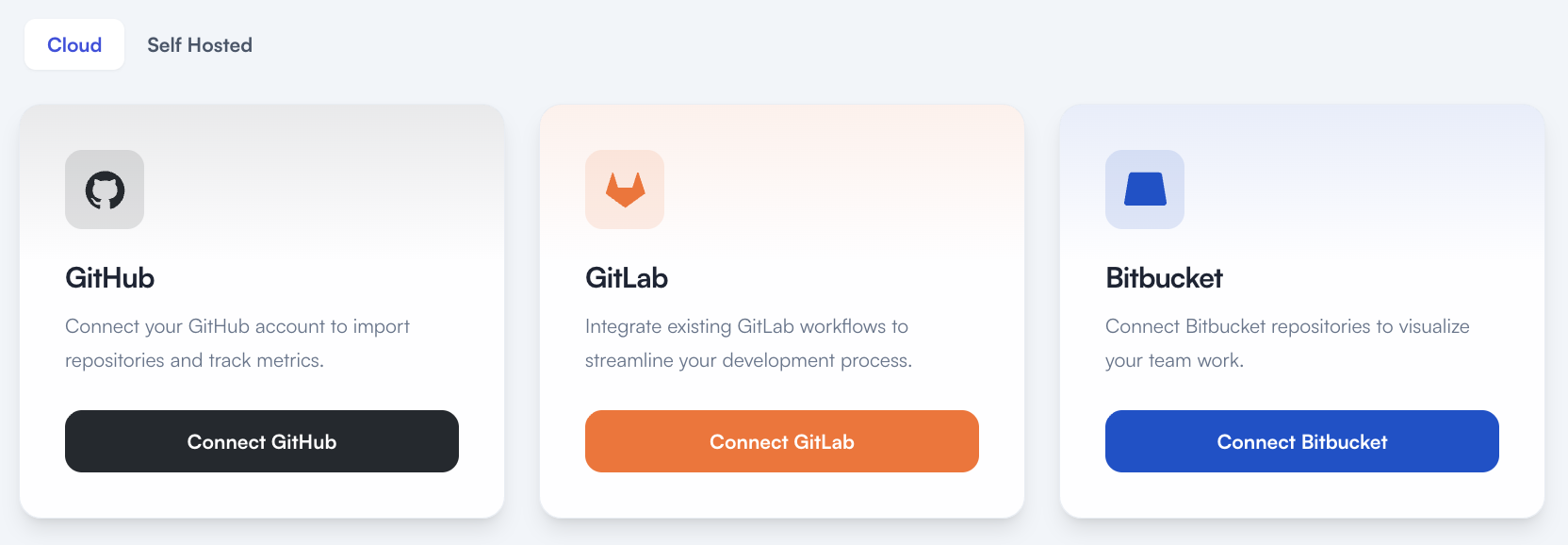
- Sign in to GitMe and go to Settings > Integrations.
- Stay on the Cloud tab and click Connect Bitbucket.
- This is where the post-signup integration flow starts for GitHub, GitLab, and Bitbucket.
Step 2 - Invite an Account Admin if needed
- Open the invite page directly from Settings > Invite User when you need to invite an authorized admin.
- If you are not the Git admin or do not have permission to authorize the required Bitbucket workspace, invite the authorized person first.
- Send the invitation with the Account Admin role.
- After the invite is accepted, that person should continue the Bitbucket connection steps below.
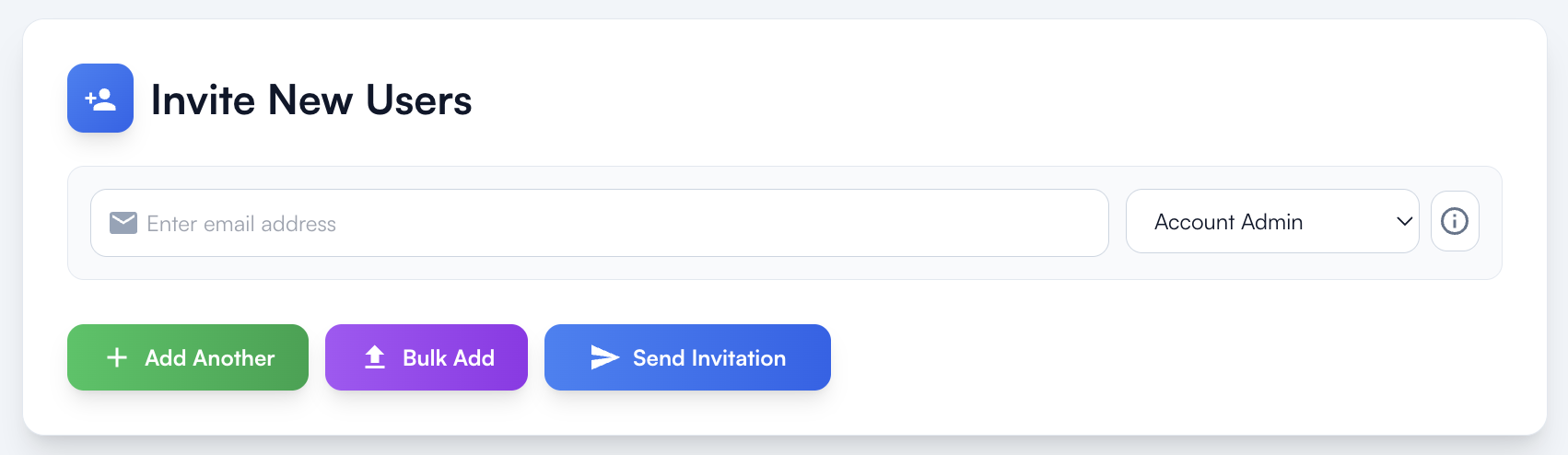
If the person completing setup cannot authorize access for the required Bitbucket workspace, they should invite the authorized Git admin as an Account Admin and let that person complete the integration.
Step 3 - Authorize GitMe in Bitbucket
- Clicking Connect Bitbucket on the Integrations page starts the Bitbucket Cloud OAuth flow.
- Complete this step with a Bitbucket user who has access to the workspace and repositories you want GitMe to analyze.
- This guide covers Bitbucket Cloud.
Review the requested permissions
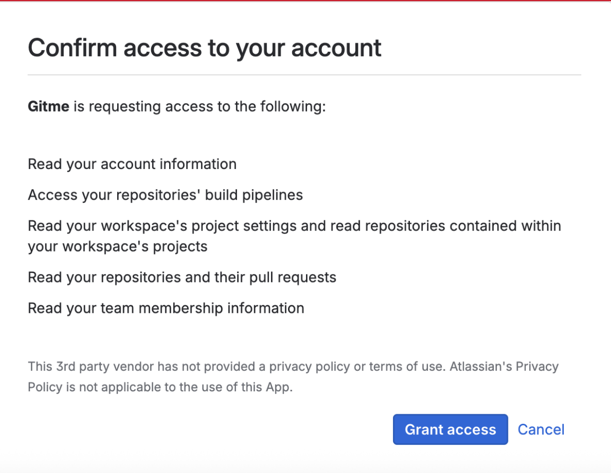
- Bitbucket redirects you to its official authorization screen.
- Review the permissions requested for repository, project, pull request, pipeline, and workspace read access.
- Click Grant access to continue.
- GitMe uses this access only for analytics and repository discovery.
Step 4 - Choose your plan
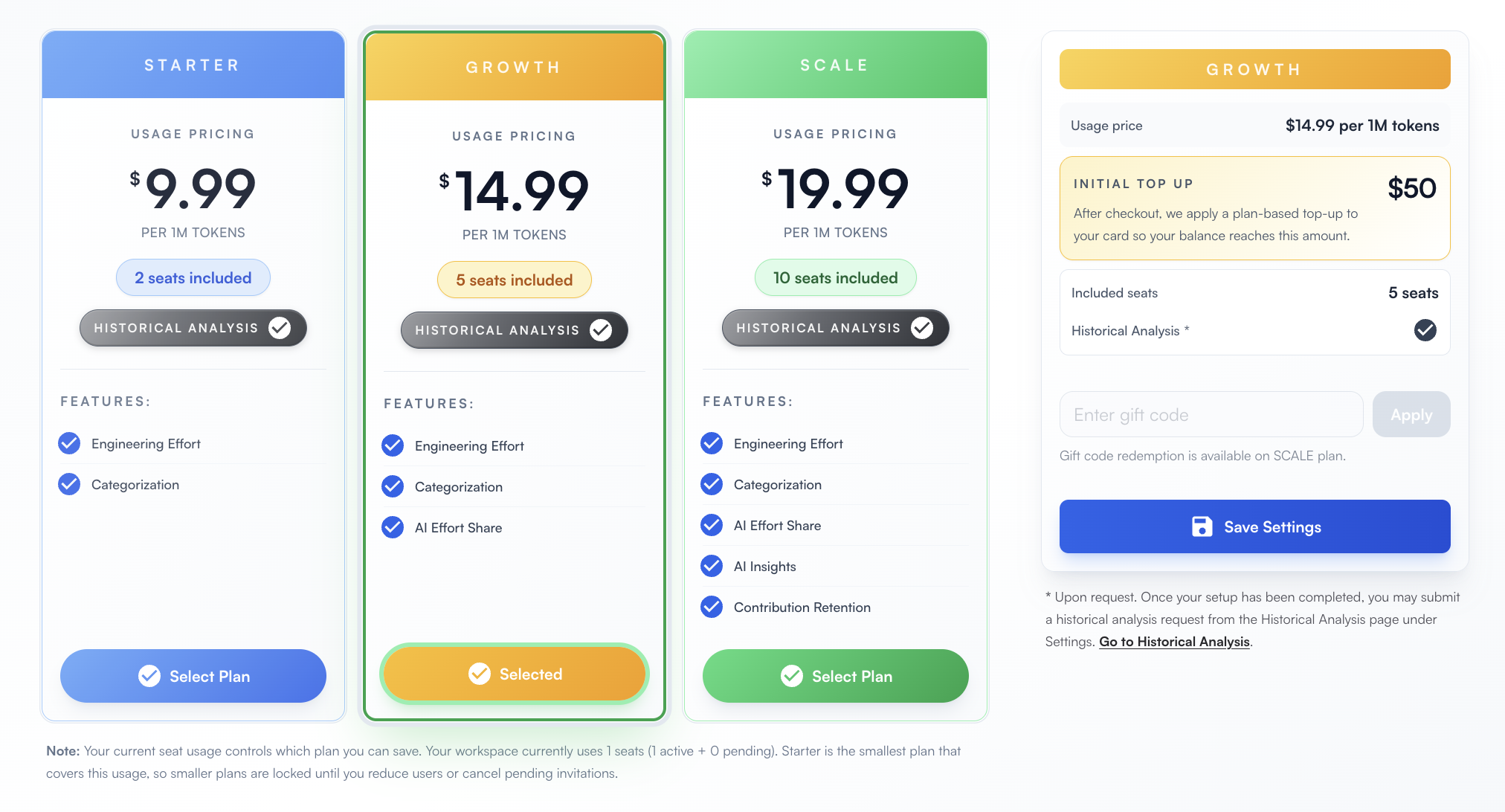
- Open the plan page directly from Settings > Plan Configuration.
- After the Bitbucket integration is connected, continue to plan selection.
- Choose the plan that matches your team size and analysis needs.
- Save the selected plan to continue to billing.
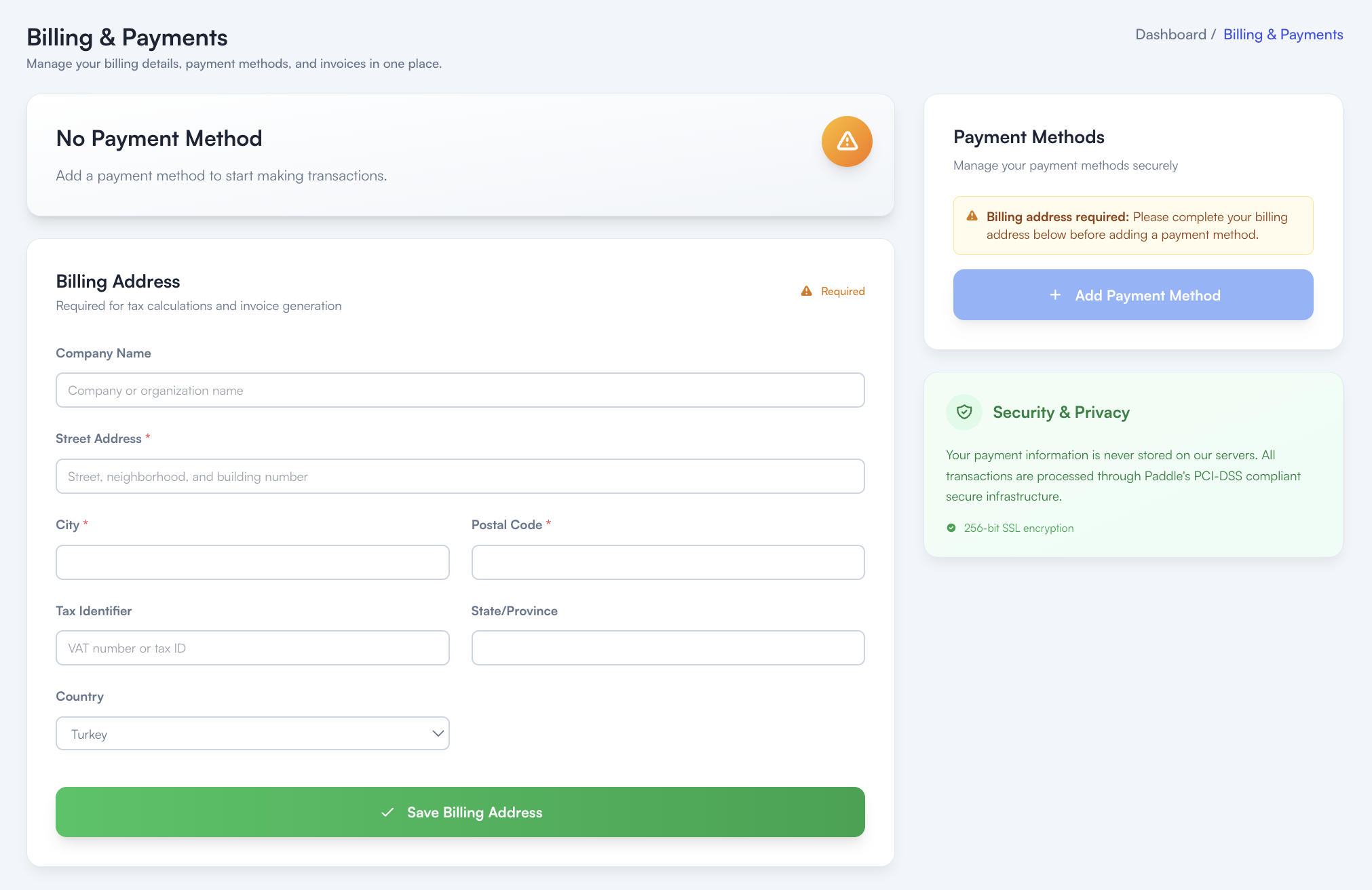
Step 5 - Add billing address and payment method
- Open the billing page directly from Settings > Billing & Payment.
- Enter the billing address required for invoicing and tax calculations.
- After the billing address is saved, add your payment method.
- GitMe uses Paddle's PCI-DSS compliant payment infrastructure for secure payment processing.
You're All Set
Your Bitbucket integration setup is complete. GitMe can now start syncing the repositories you connected so you can continue with your workspace setup and begin using GitMe analytics.
GitMe standardly starts analysis from the beginning of the month in which your workspace was set up. If you need older commit history to be analyzed as well, see the Historical Analysis documentation.